
Welcome! This guide will show you how to set up email autoresponders in DirectAdmin. Follow these simple steps to manage your email efficiently.
Step 1: Locate the Autoresponders Section
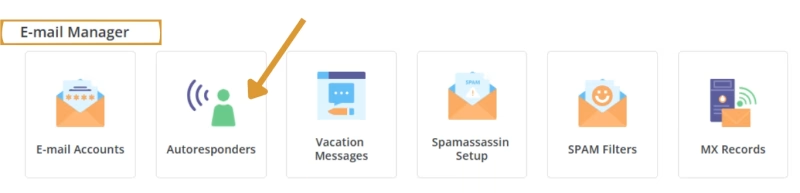
In the E-Mail Manager, click on Autoresponders.
Step 2: Create a New Autoresponder
Click on Create Autoresponder.

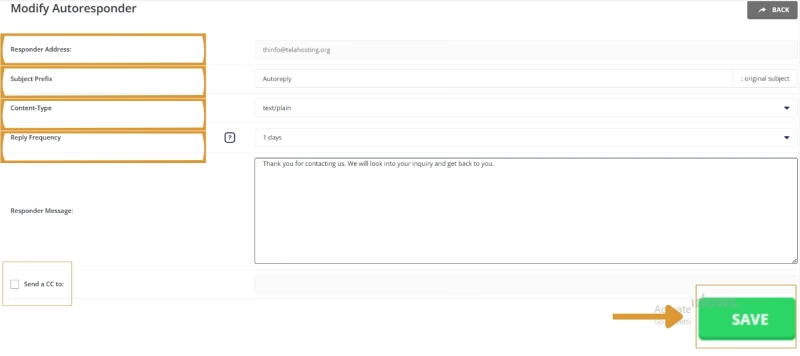
Enter the email address that should send automatic replies.
Type the subject and message for the automatic reply (e.g., “Thank you for your email; we will get back to you soon!”).
Set a Reply delay (optional) if you don’t want immediate responses.
Click Create to activate the email autoresponder.
Step 3: Test the Autoresponder
Send an email to the address with the autoresponder enabled.
Check if you receive the automatic reply.
Troubleshooting & Tips
Make sure your email address is correctly set up before configuring autoresponders.
Double-check that your autoresponder message is clear and professional.
Contact support if you face any issues. Happy Hosting🌟.
Need help? Our friendly support team is always here for you! Reach out below.
Happy hosting! 🌟