
What Is a Subdomain?
A subdomain is an extension of your main domain. It helps you separate and organize different parts of your website. Examples:
- blog.yourdomain.com
- support.yourdomain.com
- app.yourdomain.com
- news.yourdomain.com
It works as a standalone address but still uses your main domain name. Businesses use subdomains to create dedicated sections without buying a new domain — convenient and cost-effective.
When Should You Create a Subdomain?
You might want to create a new domain when:
- Launching a blog separate from your main site
- Running an online store
- Adding a client area
- Hosting a demo website
- Creating a staging/testing environment
- Linking an app or portal
If any of these apply, creating the new domain through DNS settings in DirectAdmin is the perfect method.
Two Ways to Create a Subdomain in DirectAdmin
There are two ways to create a new domain:
- Using the Subdomain Creation Tool inside DirectAdmin
- Manually adding the subdomain through DNS settings
In this Guide, we’re focusing on method 2 which is creating new domains through DNS settings.
This method is useful if:
- Your domain’s DNS is managed outside telaHosting
- You want to point the new domain to another server
- You want manual control over DNS entries
- You prefer a custom configuration
Now let’s get into the real steps.
1. Log In to Your DirectAdmin Control Panel
- Log in to your telaHosting Client Area
- Go to your hosting services
- Click “Login to DirectAdmin”
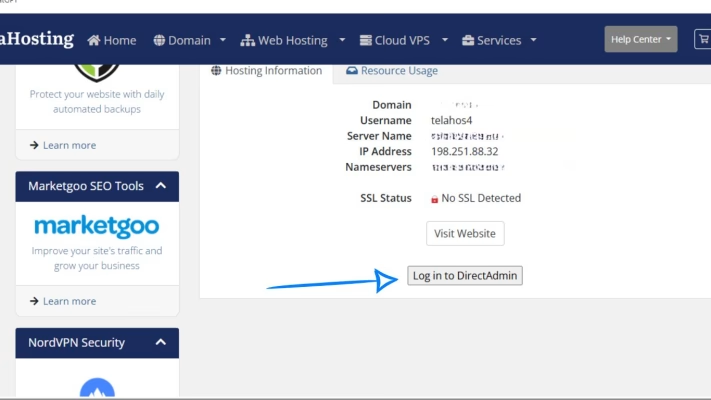
Once you’re inside, you’re ready to manage DNS.
2. Open the DNS Management Section
In your DirectAdmin home screen:
- Scroll to the Account Manager section
- Click DNS Management
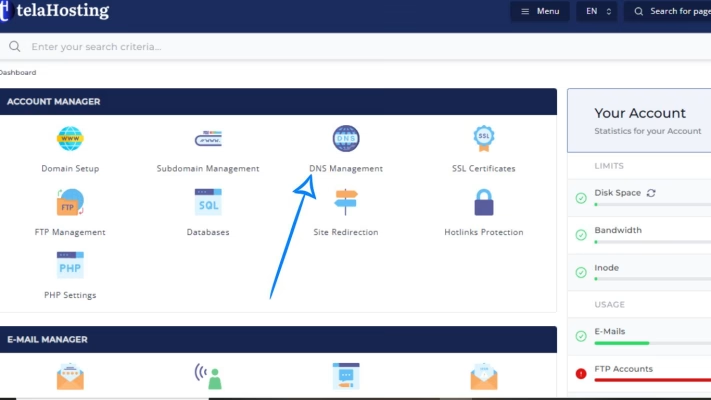
This is where all your DNS records live — including the ones you’ll create for your new domain.
3. Add a New A-Record for the Subdomain
- Click Add Record
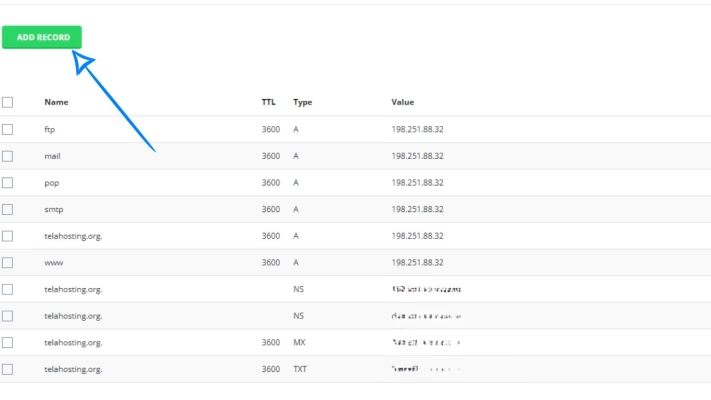
- Select A Record
- In the Name field, type your new domain (example: blog)
- Enter your server’s IP address (you’ll find it in your telaHosting Client Area or DirectAdmin dashboard)
- Save the record
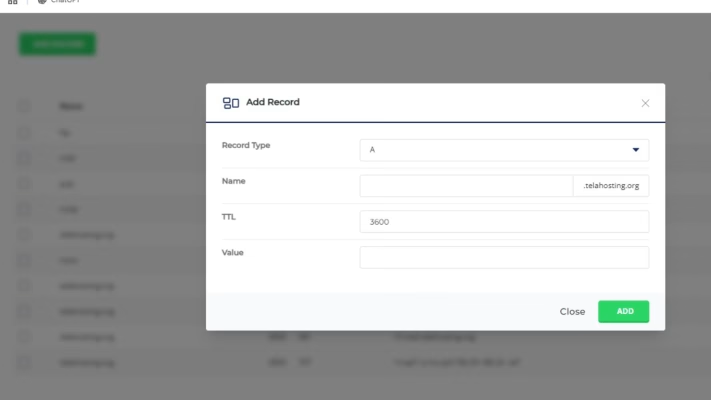
This step tells the internet: “This subdomain lives on this server.”
If your hosting uses IPv6, you can also add an AAAA record with your IPv6 address — but it’s optional.
3. Create a Folder for Your Subdomain (If Needed)
In some cases, you may want the new domain to load from a specific folder. To do that:
1. Go back to DirectAdmin home
2. Click File Manager
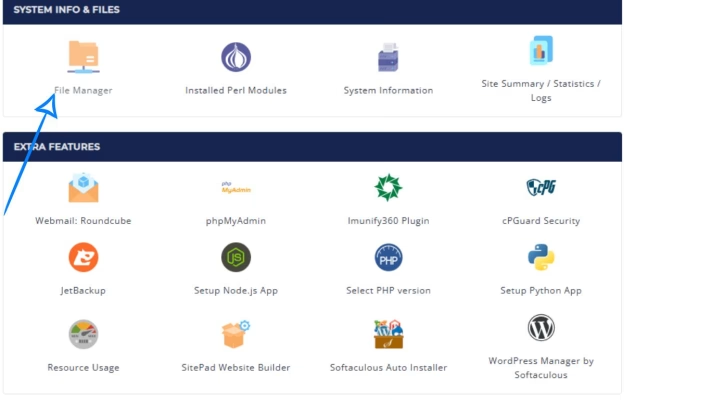
3. Open domains/yourdomain.com/public_html/
4. Click on domain
5. Click on new folder at the top
6. Create a new folder (example: blog)
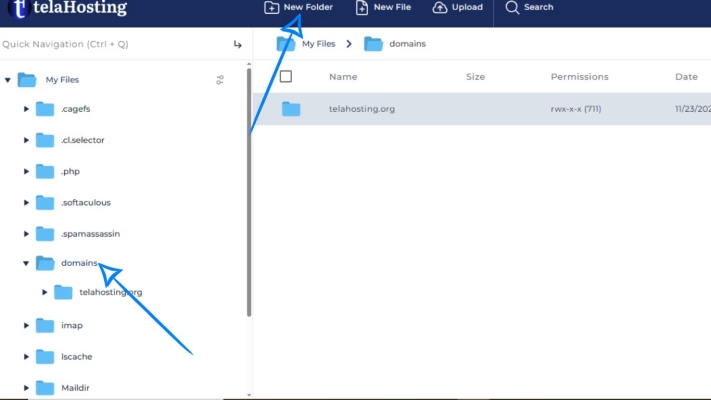
This is the folder where you’ll upload the content for your new domain. Some hosting setups create these folders automatically, but it’s good to check.
5. Wait for DNS Propagation
Once the new domain’s DNS record is saved, you need to give it time to propagate.
Propagation time:
- Usually 5 to 30 minutes
- Can take up to 24 hours depending on your ISP
How to Know If Your New domain Is Working
You can test your new domain by:
- Visiting it in your browser
- Using tools like dnschecker.org
- Pinging the subdomain
If everything is correct, it should load your content or show a basic default page.
Common Mistakes to Avoid
- Adding the wrong IP address: Your new domain won’t load if the IP is incorrect.
- Forgetting to create the subdomain folder: Even if the DNS is correct, you still need a folder to load content.
- Creating multiple A-Records for the same new domain: Stick to one unless you know advanced DNS rules.
Conclusion
With just a few clicks — adding an A-Record, pointing it to your server’s IP, and creating a folder — your subdomain becomes active and ready for use.
Whether it’s for a blog, shop, or custom portal, the process is smooth, fast, and beginner-friendly.
FAQs
1. How long does it take for a subdomain to start working?
Usually a few minutes, but sometimes up to 24 hours.
2. Can I create unlimited subdomains with telaHosting?
Yes — depending on your hosting plan’s limitations.
3. Can I point subdomains to different servers?
Yes. Just use a different IP address when creating the A-Record.
4. What if my subdomain doesn’t load?
Check your IP address, DNS record, and folder structure.
Need help? Our friendly support team is always here for you! Reach out below.
Happy hosting! 🌟