

As you may know, if the mail service is unauthenticated, you can face the following issues:
- emails you send are delivered to Spam/Junk folders
- emails you send bounce with the “SPF record failure” error
- your Inbox gets numerous “Failed delivery” bouncebacks of the emails you never sent
In the first case, the recipient mail server looks up the SPF record of your domain, and if it is not added / does not match the actual outgoing server IP address, such mail delivery will fail. This checking mechanism is implemented in order to make sure email comes from a legitimate sender and verified sender.
- SPF record
Nowadays, the vast majority of spam emails have fake data in the «From» field. Spammers and fraudsters use special tools to send their mail on behalf of a real owner of the email address.
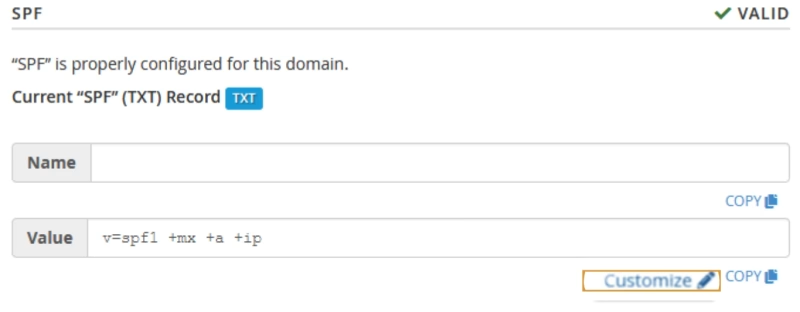
SPF record (an acronym for Sender Policy Framework) is an effective and simple method that allows you to avoid such issues. If your domain name has the correct SPF record, then you can be sure nobody can send fake emails on behalf of your domain name.
The main idea of the SPF record is that an owner of a domain name publishes the information about IP addresses that are authorized to send mail from this domain name. The receiving server compares the information in the envelope sender address with the information published by the domain name owner. If these details match, then the email is delivered.
NOTES:
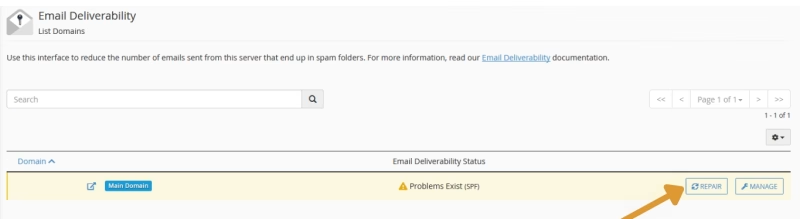
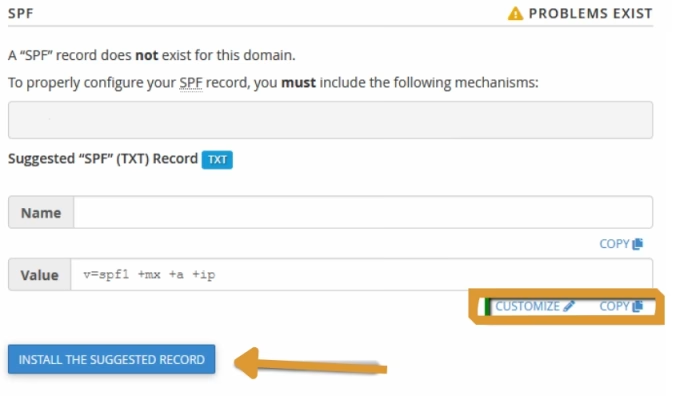
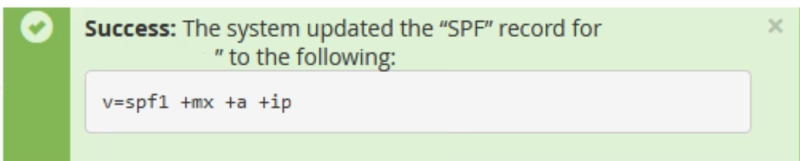
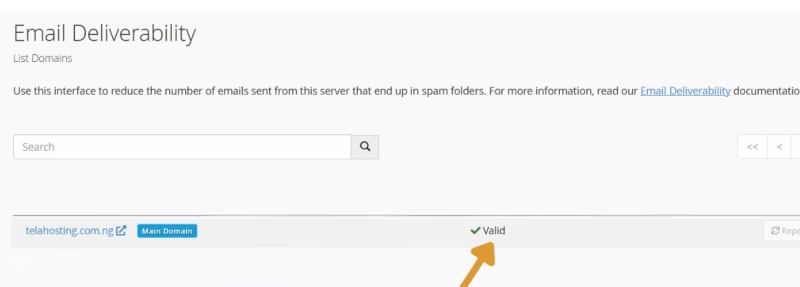
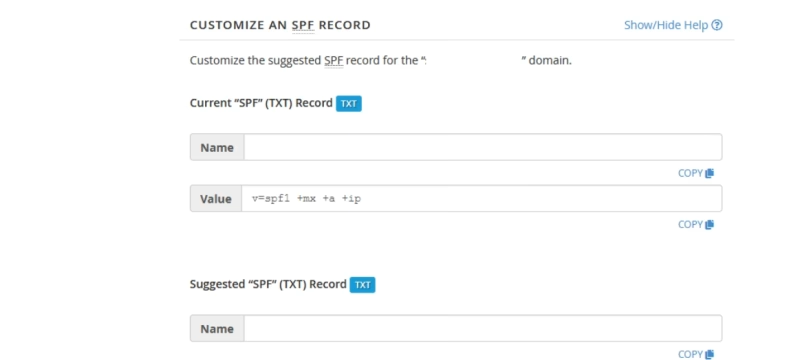
- SPF is not added to the domain DNS zone automatically. Thus, it is required to configure the proper record from the Email Deliverability menu.
- Sometimes cPanel automatically fetches incorrect server outgoing IP addresses. This happens when we have to change an outgoing mail IP due to poor mail reputation or blacklists. Get in touch with us via Help center or Ticket and we will gladly re-check if the correct IP is added to your SPF record.
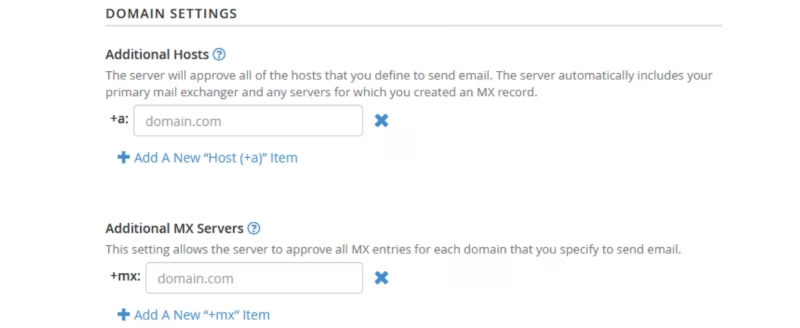
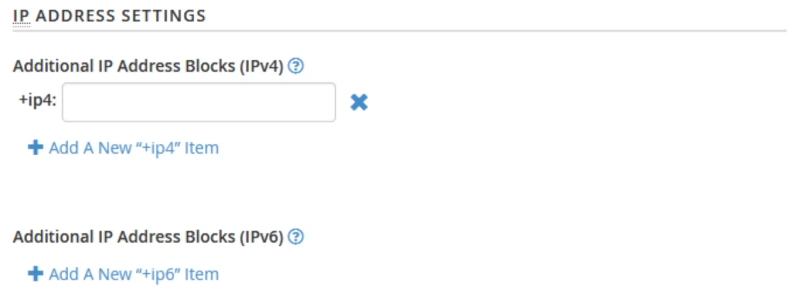
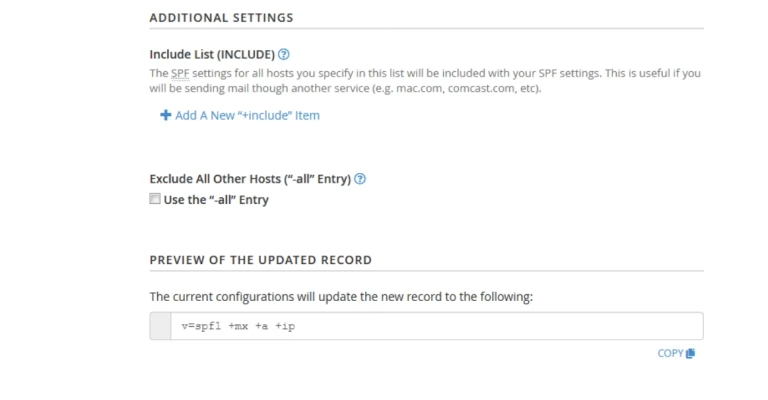
- SPF record has its own specific syntax. It is strongly recommended that you get familiar with SPF record syntax documentation if you are going to customize the record manually.
- SPF record is added to your domain DNS zone as a TXT record. There are cases when you need to add another TXT record to verify your domain name ownership for some service. It is not recommended that you modify the existing SPF record, it is better to add a new one instead.
- DKIM Record
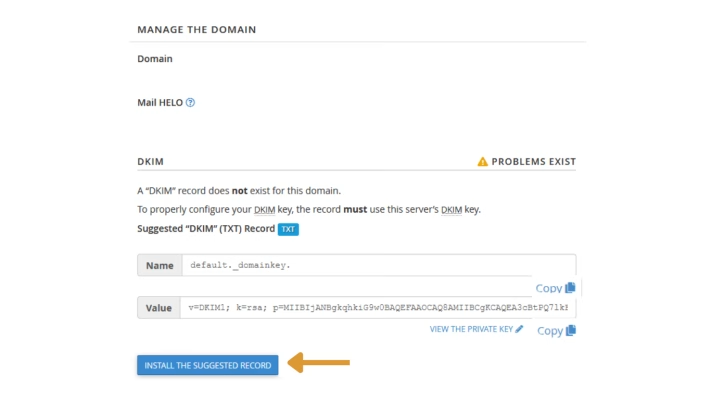
DKIM (DomainKeys Identified Mail) is another way of email authentication. This method uses information about the domain that is published by the domain owner. That information allows the receiving server to verify if the email message was sent by the legal owner of that domain name.
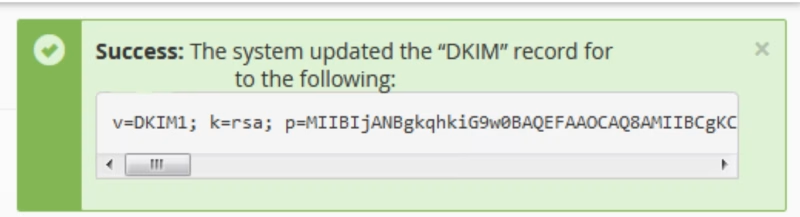
Once the TXT record, which contains DKIM, is added to the DNS zone, a special code is added to the headers of outgoing emails. Receiving servers compare these headers with the information in the DNS zone, and if it matches, then the email is delivered.
NOTE: DomainKeys (DK) and DomainKeys Identified Mail (DKIM) are separate things.
DomainKeys (DK) are not available on our shared servers as DK implementation was converted to DKIM and extended in a number of ways as of cPanel 11.32 and later releases.
Some of the differences between DomainKeys and DKIM include:
- multiple signature algorithms (as opposed to just one available with DomainKeys)
- more options with regard to canonicalization that validates the header and body
- the ability to delegate signing to third parties
- the ability for DKIM to self-sign the DKIM-Signature header field—to protect against its being modified
- the ability for the wildcard option on some parameters
- the ability to support signature timeouts in DNS
If having DomainKeys for you is a must, we suggest upgrading to a VPS/Dedicated server where you will be able to set up this feature.
These simple actions will make you sure that no one can send spam on your behalf and your email will not be delivered to spam folders.
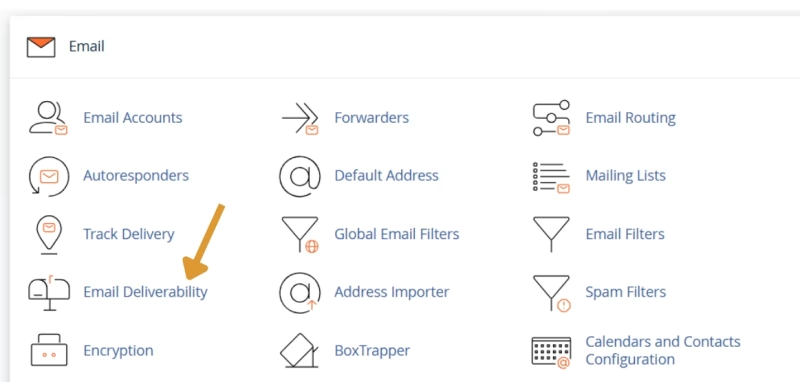
This section allows you to perform the following actions:
- This option is unavailable if the system does not control the domain DNS records. Thus, you will be able to use the Repair option only in case your domain name is pointed to our Shared hosting nameservers.
- You cannot simultaneously update two or more domains whose records exist in the same zone. The bulk records update is possible only in case domain records exist in separate zones.
- Reloading the interface does not interrupt the repair process.
Need help? Our friendly support team is always here for you! Reach out below.
Happy hosting! 🌟